
▶
Play Now Commando Force 2
first-person-shooter
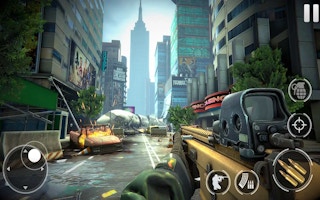
Dead Aim Skibidi Toilets Attack is a distinctive FPS set in a city overrun by rebellious skibidi toilets. It juggles humor with action as you navigate urban arenas with a diverse arsenal — sniping from rooftops one moment, dodging through the streets the next.
Use the city's verticality: rooftops give you clean sightlines for sniping, while street level demands constant movement. Switch weapons to match the range — the diverse arsenal exists for a reason — and treat every corner as a potential ambush.
Play Dead Aim Skibidi Toilets Attack free on MiniGamesHub — no download, no sign-up, right in your browser on desktop, Chromebook, and mobile.
Yes — Dead Aim Skibidi Toilets Attack is 100% free. No download and no sign-up are required; it loads and plays instantly in your browser right here on MiniGamesHub.
Absolutely. Dead Aim Skibidi Toilets Attack runs in any modern web browser, so it works on desktop, laptop, Chromebook, and mobile (iOS and Android) with no app to install.
No. Dead Aim Skibidi Toilets Attack is a browser game — it starts in one click with no download, plugin, or installation.
Dead Aim Skibidi Toilets Attack is a first-person-shooter game. In action games like this one, you typically aim with the mouse and click to shoot, move with WASD or the arrow keys, and dodge incoming fire to survive as long as you can in Dead Aim Skibidi Toilets Attack. Controls: Usually: keyboard (WASD / arrow keys) + mouse.