
▶
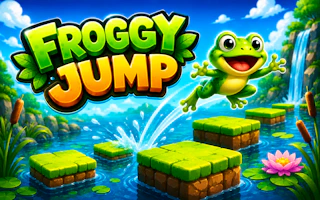
Play Now Froggy Jump
hyper-casual
Sliding Slide is a captivating puzzle experience built on the timeless sliding-tile challenge. Strategically piece together vibrant illustrations across varying difficulties, racing against the clock as you shuffle and position tiles with simple touches or clicks.
Study the full picture first, then work from one corner outward — anchoring completed sections usually beats random shuffling. Keep the empty space where your next tile needs to go, and plan sequences of slides rather than moving one tile at a time. Against the clock, smooth planned moves beat frantic tapping.
Play Sliding Slide free on MiniGamesHub — no download, no sign-up, right in your browser on desktop, Chromebook, and mobile.
Yes — Sliding Slide is 100% free. No download and no sign-up are required; it loads and plays instantly in your browser right here on MiniGamesHub.
Absolutely. Sliding Slide runs in any modern web browser, so it works on desktop, laptop, Chromebook, and mobile (iOS and Android) with no app to install.
No. Sliding Slide is a browser game — it starts in one click with no download, plugin, or installation.
Sliding Slide is a hyper-casual game. Casual games like this one are usually played with a simple click or tap. Take it at your own pace — no timers, no pressure. Perfect for a quick, relaxing break. Controls: Usually: mouse / touch.