
▶
Play Now Single Stroke Line Draw
drawing
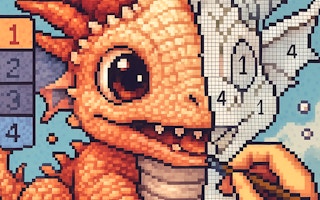
Poly Art is a calming puzzle adventure where fragmented shards become stunning artwork. You explore categories like animals and plants, using simple click-and-place controls — with patience and precision as your allies, you bring each masterpiece to life and unlock a world of artistic beauty.
Study the silhouette, then click and place each shard where it belongs, working from the edges inward. Patience usually beats speed in mosaic puzzles like this — place the obvious pieces first, let the picture guide the tricky ones, and each masterpiece assembles itself.
Play Poly Art free on MiniGamesHub — no download, no sign-up, right in your browser on desktop, Chromebook, and mobile.
Yes — Poly Art is 100% free. No download and no sign-up are required; it loads and plays instantly in your browser right here on MiniGamesHub.
Absolutely. Poly Art runs in any modern web browser, so it works on desktop, laptop, Chromebook, and mobile (iOS and Android) with no app to install.
No. Poly Art is a browser game — it starts in one click with no download, plugin, or installation.
Poly Art is a drawing game. This kind of game is usually played with the mouse: click, drag, and interact. Most actions are intuitive — jump in and start playing. Controls: Usually: mouse / touch.