▶
Play Now Funny Shooter 2
shooter
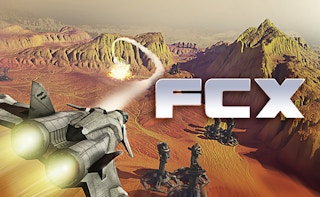
Star Wing puts you at the controls of Earth's last hope in a gripping space shooter. You navigate hostile territories battling relentless alien forces, upgrading your ship, dodging enemy fire, and unleashing powerful attacks — a cosmic quest of strategy to protect the universe from formidable adversaries.
Weave through hostile territories, prioritize dodging enemy fire over chasing kills, and spend upgrades on the ship systems that match your style. Space shooters like this usually reward positioning first — stay mobile, unleash powerful attacks in bursts, and Earth's last hope endures.
Play Star Wing free on MiniGamesHub — no download, no sign-up, right in your browser on desktop, Chromebook, and mobile.
Yes — Star Wing is 100% free. No download and no sign-up are required; it loads and plays instantly in your browser right here on MiniGamesHub.
Absolutely. Star Wing runs in any modern web browser, so it works on desktop, laptop, Chromebook, and mobile (iOS and Android) with no app to install.
No. Star Wing is a browser game — it starts in one click with no download, plugin, or installation.
Star Wing is a shooter game. Most action games in this style use the arrow keys or WASD to move, spacebar to jump, and the mouse to aim or shoot. Grab power-ups and take down enemies to push forward. Controls: Usually: keyboard (WASD / arrow keys) + mouse.