
▶
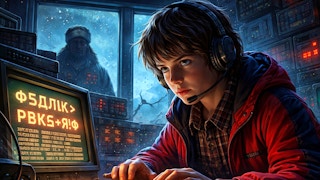
Play Now Soviet Codebreaker v1.0
coding
Play Soviet Codebreaker v1.0 online free. coding game, no download required, instant play.
Dive into the vibrant world of coding with Scratch Emulator, where creativity meets interactivity. Assemble scripts using a drag-and-drop interface, test your imagination, and refine your problem-solving skills. Perfect for both newbies and seasoned coders, it's a playful tool for inspiring innovation and coding exploration.
Play Scratch Emulator free online, right in your browser — no download and no sign-up required. It's part of our coding games collection, ready to play instantly on desktop, tablet, or phone.
This kind of game is usually played with the mouse: click, drag, and interact. Most actions are intuitive — jump in and start playing.
| Genre | coding |
|---|---|
| Controls | Usually: mouse / touch |
| Players | Single Player |
| Platform | Web Browser (Desktop & Mobile) |
| Tags | coding, landscape |
| Released | Dec 13, 2024 |
Enjoyed Scratch Emulator? Browse our full coding games collection for more hand-picked picks you can play free, no download.
Yes — Scratch Emulator is 100% free. No download and no sign-up are required; it loads and plays instantly in your browser right here on MiniGamesHub.
Absolutely. Scratch Emulator runs in any modern web browser, so it works on desktop, laptop, Chromebook, and mobile (iOS and Android) with no app to install.
No. Scratch Emulator is a browser game — it starts in one click with no download, plugin, or installation.
Scratch Emulator is a coding game. This kind of game is usually played with the mouse: click, drag, and interact. Most actions are intuitive — jump in and start playing. Controls: Usually: mouse / touch.