· MiniGamesHub Editorial Team · Mini Games · 6 min read
Best Unblocked Games 2026 — Play Free Mini Games on School Chromebook
10 hand-picked games to play when you're bored — all free in your browser, no download and no install, and they run on school Chromebooks or any device.
When you’ve got a few minutes to spare, MiniGamesHub has you covered with over 1,400 free HTML5 games that load instantly in your browser. Below are 10 real games from our catalog — every one embeds the actual playable title with its official cover art, so you can try it right here or open the full game page.
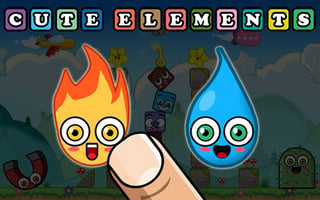
1. Cute Elements
Step into the charming world of Cute Elements, where strategy and fun unite! Link similar elements to clear levels as puzzles grow increasingly challenging. Delight in adorable graphics while your mind sharpens through thoughtful planning. Perfect for all ages, this addictive game is a delightful test of skill and wit.
Sharpen your mind with this clever puzzle — a perfect quick brain workout. Play Cute Elements on MiniGamesHub →
2. Collect the Gift
Guide gifts to Santa’s bag by solving festive puzzles in a magical workshop. Cut ropes, launch slingshots, and trigger switches to ensure every package reaches its destination. Enjoy the thrill and challenge reminiscent of beloved classics, all in a delightful holiday setting. Perfect for some seasonal fun!

Sharpen your mind with this clever puzzle — a perfect quick brain workout. Play Collect the Gift on MiniGamesHub →
3. Happy Mushroom
Clear clusters of vivid mushrooms in Happy Mushroom, a charming click elimination adventure. Strategize by collecting diamonds to eliminate more fungi or refresh layouts. Engage your mind in this addictive challenge where larger clusters bring higher scores, providing a delightful escape for players of all ages.
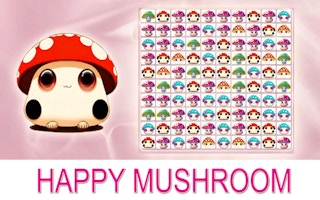
Match, swap, and chain combos in this satisfying match-3 challenge. Play Happy Mushroom on MiniGamesHub →
4. Cut The Rope
Feed your sweet tooth with Cut The Rope as you skillfully swipe and tap to deliver candy to the adorable Om Nom. Navigate through whimsical puzzles with simple controls, unblock seasons and elements, and conquer gravity-based challenges in this charming and addictive physics-driven experience.
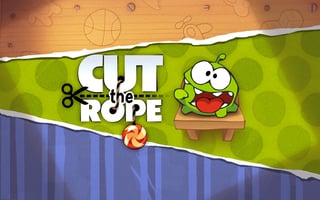
Easy, laid-back fun you can jump into instantly. Play Cut The Rope on MiniGamesHub →
5. CookieNyan
Indulge in CookieNyan’s delightful puzzle extravaganza, where matching cookies unlocks a sweet symphony of shapes. Strategize as you craft striped and rainbow cookies to clear the board, fueling your competitive spirit and a craving for victory. Satisfy your matching mania with every tantalizing level!
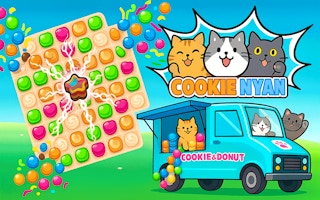
Match, swap, and chain combos in this satisfying match-3 challenge. Play CookieNyan on MiniGamesHub →
6. 2048 X2 Merge Blocks
Immerse yourself in the captivating fusion of strategy and puzzle-solving with 2048 X2 Merge Blocks. Navigate falling numerical blocks, strategically align them to merge and outsmart the collapsing grid. Engage in endless fun as you strive for higher merges while maintaining a clear board to ace the game.
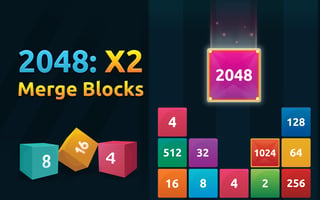
Number-sliding strategy that is easy to learn and hard to put down. Play 2048 X2 Merge Blocks on MiniGamesHub →
7. Alex Meets Ally Autumn
Unite Alex and Ally by skillfully hooking Alex to various objects. Engage in a challenging puzzle adventure where collecting stars unlocks new possibilities, and time is of the essence. The quicker your reunion, the higher your score. Can you master the mechanics and bring them together?

Sharpen your mind with this clever puzzle — a perfect quick brain workout. Play Alex Meets Ally Autumn on MiniGamesHub →
8. Magic Kingdom. Hex Match
In Magic Kingdom: Hex Match, embark on a thrilling journey to build your own kingdom. Match colorful hexes to gather resources, unlocking magnificent structures along the way. With mesmerizing visuals and strategic depth, every move counts as you prove your worth and expand your realm in this captivating adventure.
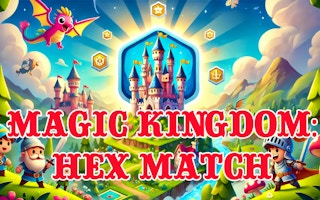
Sharpen your mind with this clever puzzle — a perfect quick brain workout. Play Magic Kingdom. Hex Match on MiniGamesHub →
9. Merge and Blast 2048
Merge and Blast 2048 challenges your logic with addictive block-merging puzzles. Strategically combine numbers to reach 2048, creating satisfying chain reactions. With smooth animations and intuitive controls, this game offers endless replayability.…
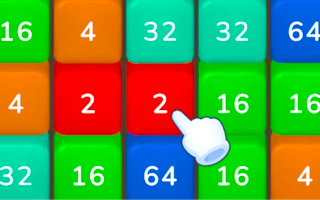
Number-sliding strategy that is easy to learn and hard to put down. Play Merge and Blast 2048 on MiniGamesHub →
10. Happy Fruit Game
Embark on a vibrant journey in Happy Fruit Game, where you strategically merge identical fruits to evolve into a grand watermelon. Navigate thrilling challenges with simple tap-and-drag mechanics, adapt your strategy to tackle evolving fruit complexities, and keep the play area clear to emerge victorious.
Sharpen your mind with this clever puzzle — a perfect quick brain workout. Play Happy Fruit Game on MiniGamesHub →
Wrapping Up
That’s our pick of 10 games you can enjoy without downloading a thing. Every title above is a real game from MiniGamesHub’s catalog — bookmark this page and come back whenever you need a quick break.
MiniGamesHub Editorial Team
Content reviewed by the MiniGamesHub editorial team for accuracy and player safety. Read our editorial guidelines.