
▶
Play Now Cerkio
ball ⭐ 4.2
Play Cerkio online free. ball game, no download required, instant play.
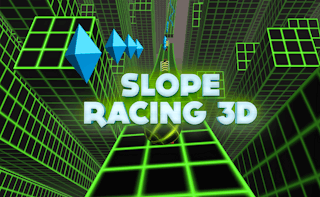
Navigate a mesmerizing neon realm in Neon Path, where collecting dazzling diamonds tests your precision. As shifting pathways intensify and speed escalates, deftly maneuver past glowing walls and obstacles. Immerse yourself in a stunningly dynamic environment that challenges your reflexes and offers a thrilling, ever-evolving adventure.
Play Neon Path free online, right in your browser — no download and no sign-up required. It's part of our ball games collection, ready to play instantly on desktop, tablet, or phone.
Play with your mouse, keyboard, or touch — Neon Path is easy to pick up. Just start and have fun!
| Genre | ball |
|---|---|
| Controls | Mouse / Touch |
| Players | Single Player |
| Platform | Web Browser (Desktop & Mobile) |
| Tags | ball, portrait |
| Released | May 9, 2022 |
| Plays | 52,472 |
Enjoyed Neon Path? Browse our full ball games collection for more hand-picked picks you can play free, no download.
Yes — Neon Path is 100% free. No download and no sign-up are required; it loads and plays instantly in your browser right here on MiniGamesHub.
Absolutely. Neon Path runs in any modern web browser, so it works on desktop, laptop, Chromebook, and mobile (iOS and Android) with no app to install.
No. Neon Path is a browser game — it starts in one click with no download, plugin, or installation.
Neon Path is a ball game. Play with your mouse, keyboard, or touch — Neon Path is easy to pick up. Just start and have fun! Controls: Mouse / Touch.